Made by someone who has opened the venues
Andrea Calistri, founder of ACRA, has opened over 200 venues and has led restaurant chains in Italy, France and the Netherlands. The file comes out of that work.

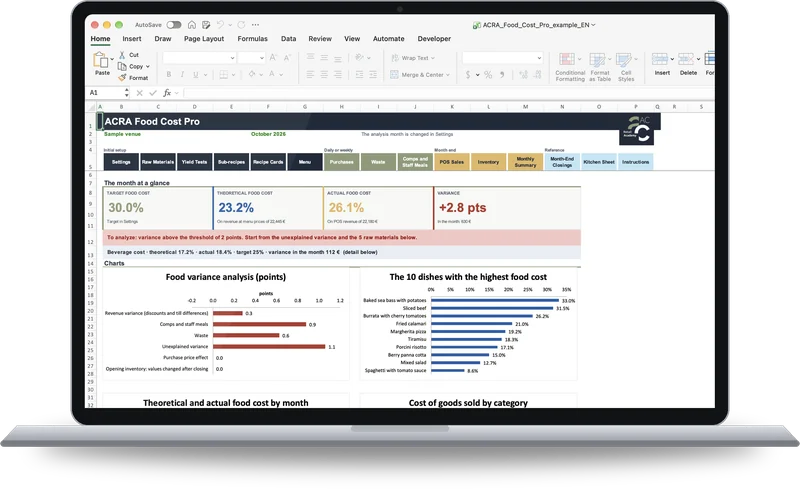
ACRA Food Cost Pro is the Excel file that shows what each dish costs and what you actually spend in the kitchen and at the bar, month by month. For restaurants, pizzerias, bars and gelaterias. English edition, amounts in euros.
Generous portions, waste, comped dishes, supplier prices that keep rising.
In the sample venue of the file, in one month, they cost €630. The file shows you how much they weigh in euros and where they come from.
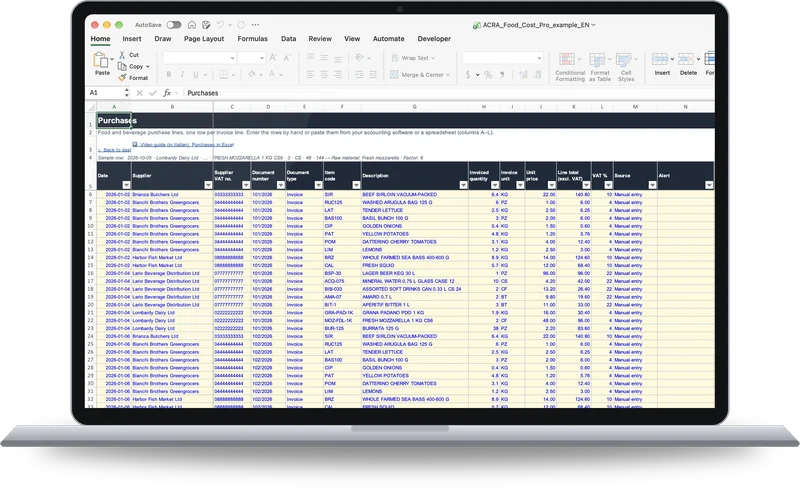
Type each invoice line into the Purchases sheet, or paste the lines from your accounting software or a spreadsheet. The columns are the ones on the invoice: date, supplier, item, quantity, unit and amount.
The first time, you link the supplier’s item to your raw material. From the next purchase the file does it for you, and it updates the prices.
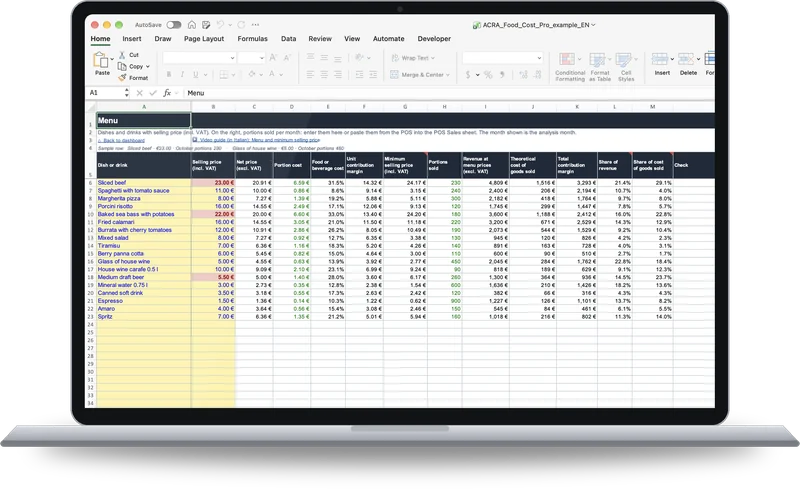
Fill in the recipe cards in grams. The file calculates the cost of each portion, allows for trimming and cooking losses, and gives you the minimum selling price that keeps you within your target food cost.
For every dish you see the contribution margin and its share of revenue.
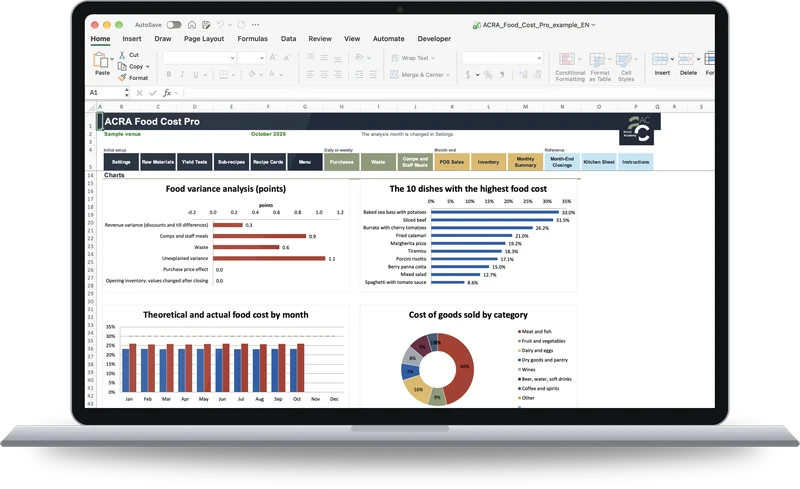
Take the inventory and enter your POS revenue. The file calculates the actual food cost and beverage cost, compares them with the theoretical ones and breaks the variance down in euros: discounts, comps and staff meals, waste, purchase price increases and the part that cannot be explained.
The whole year in a single file, month by month.
Andrea Calistri, founder of ACRA, has opened over 200 venues and has led restaurant chains in Italy, France and the Netherlands. The file comes out of that work.
You type only in the yellow cells. The formulas are protected and every sheet has an example row.
The file is yours, with no fees. Your data stays on your computer.
Yes, with Excel 2016 or later, including Microsoft 365. On Windows you need Excel 2010 or later.
No. You need Excel on a computer, because the buttons that close and reopen the month are macros.
No. You type only in the yellow cells and everything else is calculated for you. Every sheet has an example row, and 7 video guides take you through it step by step.
In the Purchases sheet, one row for each invoice line: date, supplier, item, quantity, unit, line total excluding VAT and VAT rate. You can type the rows or paste them from your accounting software or a spreadsheet. The first time you buy an item you link it to one of your raw materials; from then on the file does it for you and keeps prices up to date.
Yes. In Settings you enter the VAT rate on your sales, and every purchase line carries its own VAT rate. Amounts are in euros.
Yes. The macros are two buttons: «Close the selected month» and «Reopen the selected month». They do not connect to the internet: your data stays on your computer. On a Mac, press «Enable Macros». On Windows, if a red bar says «Microsoft has blocked macros from running»: close the file, right-click it, choose Properties, tick «Unblock» and press OK. Then reopen the file and press «Enable Content».
Yes. Every raw material is assigned to food or beverage: the file calculates the two costs separately, each against its own target, and accounts for what moves between bar and kitchen, such as the wine in a risotto. For revenue you need two departments on your POS, one for food and one for beverage: your POS supplier can set them up.
Up to 200 dishes, 300 raw materials and 15,000 purchase lines in a year.
No. The 7 video guides are in Italian and have no English subtitles. They are recorded on the Italian edition of the file: the sheets and calculations are the same, so you can follow every step on screen. The Instructions sheet inside the file is in English. One guide covers importing Italian electronic invoices, which this edition does not have, because purchases are entered as described above.
Right after payment, a page opens where you can download it.
Would you rather have ACRA analyze your menu? There is the Food cost and menu service. The Excel business plan for opening a venue is coming soon: leave your email below to hear first.
A single email, when it is available.

How can we help?